THAT DARN CODE

A friend of mine is furious about her paper vaccination card.  Her tour group says she can’t go to Egypt without a digital version. Too bad she didn’t get her vaccination at a place like Walgreens or Walmart. Then she could have gotten the necessary QR code.

“How to Get Digital Proof of Your Vaccine Record No Matter Where You Live,” you can go to vaccinecheck.us and pay a subscription fee to have a QR code that works everywhere. I paid $50 to check it out.

At first, I got nowhere. Every time I uploaded my card and hit “submit,” the uploaded file disappeared. Later, I got three emails from VaccineCheck, one of which had a link to “start the verification process.” But when I clicked it, I got one of those bad URL  messages.  So I called the company listed on my credit card statement,  PinPoint LLC.  A guy answered vaguely: “Hello?” He  had no idea what I was talking about. PinPoint is listed on the web as a shipping company. 

The next day, I got a fourth email from VaccineCheck.us, this time with a link to a QR code from the Illinois Department of Health.  Darn!  I immediately wondered if I could have cut out the middleman. But when I tried to do it on my own, I got a message saying that my information did not match their records. Perhaps it was because they still had my old address. It turns out I have to go to the Department of Motor Vehicles to update your address.

Then I had an idea. Couldn’t anyone take a picture of their vaccination card and turn it into a QR code, using one of the free QR-code generators online. I tried it and it worked like a charm.  However, when my friend tried the same thing, her Egyptian tour group said that the QR code had to come from a state health department or healthcare provider. 

What a mess.  I hope state governments and/or doctors get their act together soon. For more info, search on: “Does My State Have a Covid-19 App?” from PCMag.com.

Update: The friend who couldn’t get her QR code was able to get it from the Illinois Department of Health. Then her physician also started offering QR codes for vaccine records.

Using a Backup Phone

The other night, at a square dance, I tried making a phone call during the break and got a “no cellular networks available” message. That was strange. The dancers around me were connecting to Xfinity and other networks, no problemo. 

I decided to add a phone number to my five year-old iPhone for times when my Pixel phone won’t connect to T-Mobile or US Cellular, its two options. To do this, I bought a TracFone SIM card three-pack from Target for $1. It came with SIM cards for AT&T, T-Mobile and Verizon. I chose AT&T. TracFone, by the way, is now owned by Verizon, but the Verizon SIM card required a Verizon phone.

After watching a YouTube video to remind myself which way a SIM card goes in, I inserted it.  Then I signed up for a year’s worth of TracFone calls and texts for $125.  It included only 1.5 gigabytes worth of data for the whole year, but all I want is the ability to make phone calls and texts when my Pixel phone is incommunicado.

Old Movies

My bad: I said in a previous column that you could get the “Old Movies” app for iPhone or Android, but it’s Android only. Instead, try “FilmRise” or, if you have a library card, you can use Kanopy. I decided to take advantage of a 14-day free trial of “The Criterion Channel,” which has great films but is $99 a year after the trial. 

Facebook Marketplace Revisited

A reader wrote: “I have sold and bought several items using Facebook Marketplace.  What I do is to research on Facebook who they are and long they have been members and what appears in their comments.

“Recently we purchased for $1,500 a recumbent bike I found locally. That was about 50% of its original cost.  I researched the seller and although he wouldn’t come down off the listing price he delivered it to our home.  To have bought one similar elsewhere might have cost nearly $500 in shipping costs.”

As for selling something, you could research the prospective buyer too, typing their name into the search box. If they look suspicious, you could ignore their query.

Finding Your Files

A reader wrote: “Cloud storage is fine, but my wife trusts her SD card more – for her 20,000-plus (and increasing daily) photos. It’s also easy and quick to copy to a PC, tablet, or laptop regularly.”

 There’s only one drawback, he says. With some phones, it can be difficult to figure out what to store where, and how to find them again once you’ve stored them. “In my experience,” he says, “Cheetos and other bribes work well with the nerds who can do this stuff in their sleep!”

 I use a free app called “File Master,” for Android and iPhone. It shows me a slightly more detailed view of what’s on my phone than Android’s “Files” app.  Google Photos and Google Docs are also good for organizing your files.

App Happy

A reader suggested “Serial Reader,” a fun,free app for Android and iPhone that provides hundreds of classic books, each of which can be read in 15 minute segments. They have everything from Jane Austen to P.G. Wodehouse.

Internuts

Cato.org/human-freedom-index/2021 has just published this year’s “Human Freedom Index.” It shows that in 83 percent of countries in the world, freedom (religious, economic, etc.), has gone down slightly. The U.S. has slipped to position 15, tied with German and Japan. In the top three are Switzerland, New Zealand and Denmark.

BLUE SCREEN OF DEATH PROVES DEADLY

Windows is famous for its startling “blue screen of death.” I got a lighter shade recently. Then my hard drive died.

I could have opened my PC, removed the hard drive and installed a new one. Instead, I asked the local repair shop to back up my files on an external drive and install an SSD. The SSD, or “solid state drive,” will be much faster and more reliable. 

The shop charged $150 for the backup, much more than the $99 fee BestBuy charges. But that’s because the dying drive made it a slow recovery process. BestBuy’s price also varies with the ease of recovery. 

The shop said that installation of the new drive would cost me $275. So before committing the cash, I shopped around to see what I could get for the same price in a refurbished, Windows-11 compatible desktop computer with a similarly speedy i7 processor. Nothing came up. I’ll keep my HP Envy 750, thank you, even though it isn’t Windows-11 compatible. Windows 10 is supported till October, 2025. Windows 11 is sure to improve by then.

In the process, I learned something. Previously, I thought when you saved files to OneDrive, they were duplicated in the cloud automatically. Nope. You have to download the “OneDrive Sync” app. The same is true of Google Drive. You need their free “Backup & Sync.” Alternatively, type “backup” in the Windows search bar in the lower left of your screen and follow the prompts. I’ve always been too lazy to do it. No more!

A Better TV Remote

What’s the difference between a smart TV with Roku built-in and other smart TVs? 

Roku TVs tend to be cheaper, starting at around $170. Like other smart TVs, they enable you to control your TV with voice commands, using either Google Assistant or Alexa. Instead of painstakingly typing in “Christmas movies” into an onscreen keyboard, for example, you can just say it.

Speaking of Roku, you might want the new Roku Voice Remote Pro for $30. With it, you can skip the batteries, just plug it in to recharge it. Unlike the $20 Roku Voice Remote, it lets you speak into the air to choose a show or increase the volume, even if the remote is buried in the couch cushions. And instead of speaking the commands you often use, you can program them into the buttons. If I ever had to get a new TV though, I might get the Amazon Fire TV with Alexa. It’s on sale for only $120.

Selling Stuff Online

I like selling stuff on eBay, but a friend said she thinks it takes too big a cut. She prefers Facebook.

“The reason I prefer Facebook Marketplace,” she said, “is that it’s local. People pick things up. My daughters use the ‘pick up at door’ feature. The buyers put the money under the rug at the front door. I’m not that trusting!”

But sometimes, setting up the sale is a hassle. Recently, she said, the buyer “was afraid to come to my house – there are crazies on Facebook. She wanted to meet at a parking lot somewhere, just to get the measly $15 item I was selling her! I hope that doesn’t happen to me again, or I’ll never get all my stuff sold.”

 New Version of Pac-Man, More Fun than the Old One

Remember Pac-Man, (originally called “Puck Man”)? You control a guy who has to eat all the dots inside a maze while avoiding four ghosts. Now there’s a new version on Facebook, called “Pac-Man Community. “ It  lets you play with others, whether friends or strangers. I find it much more fun than the original. You can even create your own mazes.

All four players in the game head off in different directions simultaneously, while eating dots and avoiding ghosts. The trick is to follow the trails that haven’t already been gobbled up. If you don’t want to play with strangers, you can send friends a link, or post it on your Facebook page. 

The original, non-Facebook version is still available online, but I don’t like it. I get eaten by the ghosts immediately because it doesn’t match me with other duffers. To find the Community version, go to Facebook.com, click the magnifying glass in the upper left and type “Pac-Man Community.” 

I prefer playing on my computer, using the arrow keys as controls. But you can also play on your phone. It starts off by showing you a live game to watch. To start your own game, click the link when prompted. 

App Happy

Cover art“Old Movies” is a free app for Android or iPhone with 300 free movies to choose from. There are many I haven’t seen, such as “O’Henry’s Full House,” a collection of O’Henry stories starring many famous actors, introduced by John Steinbeck. The app has ads, but you can tap “continue to old movies” to escape them if there’s no “x” to ex-out, or exit.

Camera tip

 If you’re in a hurry to take a video on your phone before the moment passes, do a long press on the camera icon instead of tapping it. You’ll also get an option to take a selfie. On an iPhone, several more options pop up, including “record slo-mo.”

Internuts

GETTING A LYFT

The Lyft app often gets my pickup point wrong. Sometimes, I have to walk to a popular restaurant in order to be found. I had an awful time at the airport recently.

When I put in the name, O’Hare International, the app should have prompted me to choose a specific pickup zone. It didn’t do that, so I typed in O’Hare’s address. What a mistake. The driver never came near to where I was standing. In the cold frosty air, I twiddled my frozen thumbs.

I texted him repeatedly to say I was in “Green Zone D.” I also left a voicemail. When he called me back, I shouted “Green Zone D” over and over. The connection was faulty but I heard him say: “I don’t care where you are.” My first rude driver! And on top of a three-hour flight delay too. I was instantly reduced to my 3 year-old self. “I hate you,” I said. I hope he didn’t hear me. Then I canceled the ride.

Fortunately, Lyft waived the usual $5 cancellation fee. Even better, when I started the app again, it let me choose my zone. So I still love ride sharing. Both Uber and Lyft track drivers in real time, and their cars are cleaner and newer than taxis.

eBay Tips

I recently sold nearly-new men’s sunglasses on eBay to a guy who said he was sharing the cost with his sister as a Christmas present for their dad. 

The list of things you can sell on eBay is amazing. They include empty perfume bottles, broken jewelry and watches (people want the parts), empty printer cartridges and even pantyhose (used for craft projects). We all have too much stuff. Why not sell some of it?

No need to worry about privacy. You won’t be sharing any financial details with buyers or potential buyers, except the price of your item. They needn’t even know your name. To get your money, you tell eBay the routing and account number of your checking account. The buyer pays eBay and eBay deposits the money in your account.  

The buyer does not get your contact info either. If they want to send a message to you, eBay acts as a middleman, placing your reply on their site. My potential buyers sent messages about what they were willing to pay. When I didn’t respond, they upped their bid until it was just $15 lower than my original price. As for writing a description of your item, you can usually find one online if you need to. There’s a form to fill out, but eBay will nudge you in the right direction. 

Make Your Own Drone

You can build your own drone for under $20, complete with camera. It would be great for taking pictures at birthday parties.

The “Circuit Scribe Drone Builder Kit for Kids” includes a drone with cardboard arms. It can stay aloft for three minutes at a time, but if the arms get crunched in a crash, you can draw new ones on any old piece of cardboard. After you cut them out, you fill them in using a conductive silver ink pen, which is included. Then you attach the hub and motors, download the free app, and you’re ready to fly, using your phone as a controller. 

According to Engadget.com, the drone is easy to maneuver with the free app and will stay connected to WiFi over a 150 foot-range. See it in action by going to YouTube.com and searching on “Unboxing Circuit Scribe Drone Building Kit.”

Your Texts Go Here

My text messages are dull. They’re usually things like: “Ready?” But if yours are worth saving, and you use an iPhone, try the “Keepster” app. It turns texts and photos into a small book.

Start by downloading the free app to a Mac or Windows computer. Next, connect your phone by cable and choose texts and photos from your iPhone iMessages app, WhatsApp or other texting service. You can discard texts you don’t want and edit the rest. For more info, watch the video tutorials at Keepster.co.  

Keepster books start at $13 for up to 30 pages on up to $275 for 800 pages. For a romantic book, they suggest a title like “How We Met.”

Google Docs go Poof

“I never travel without my diary. One should always have something sensational to read on the train,” said Gwendolyn in Oscar Wilde’s play, “The Importance of Being Earnest.” Good thing she wasn’t using Google Docs.

I wrote a rough draft of a personal essay for my writers’ group while in the airport, then spent three hours on the plane reworking it. I used the free Google Docs app on my phone, but forgot to switch to offline mode. Poof! There went three hours worth of revisions. 

A good alternative is the free WPS Office, which has over 100 million downloads. It lets you save a document by tapping the icon for a floppy disk (looks like a square). The default storage location is in the cloud but you can easily change that to local storage by choosing it from the drop-down menu.  

Unfortunately, when you install the app from the app store, WPS Office will try to get you to go for the premium version. Tap outside the offer to get back to the freebie. Alternatively, go to wps.com and install a version for your computer.


RUNNING OUT OF SPACE

Here’s something to consider when buying your next phone or tablet:  Get one that has a microSD card slot so you don’t run out of storage space.

These days, a $25 micro SD card holds a whopping 128 gigabytes or more. Samsung, Sony, Motorola, LG, and Xiaomi phones all have slots for these. Alternatively, some phones, such as the Google Pixel, have dual SIM card capability. You can use a SIM card slot for a storage card.

Because the iPhone and iPad don’t offer expandable internal storage, some people buy a new phone or tablet just to get more space. But that gets expensive. The iPhone 13 with 256 gigabytes is $100 more than the one with 128.  

Here’s a tip I got from CNET: Tap “Settings” and scroll down to “Photos.” Check the box that says “Optimize iPhone storage.”  Another idea: Copy all of your iCloud photos over to Google Photos, then delete the ones from your phone that you don’t need to see every day. Alternatively, get an SD card adapter for iPhone or Android. Plug it into your phone and transfer some of those photos and videos to the card. 

Good news for iPhone users: You can have text messages automatically delete themselves after 30 days or a year. Go to “Settings,” then “Messages.” Adjust the setting under “Message History.” 

Our Android Future

We’re not wearing robotic parts yet, but it’s coming. If you need extra support for any activity, you can order an exoskeleton for $899.

An exoskeleton is an artificially-intelligent body brace. Partially-paralyzed people use them to walk. They’re also used in industrial and military environments where heavy equipment is involved. Now there’s a version for consumers, coming out in May.

The “Enhanced Robotics Sportsmate 5” claims to be the world’s first and lightest portable wearable robotic exoskeleton. It weighs around 5.5 pounds– about 85% lighter than others. It can be pre-ordered on Kickstarter.com. But buyer beware. With these crowd-funding sites, there’s no guarantee you will get the product.

Restore It!

A reader alerted me to an unnerving fact about Windows 10. Even if your system has been regularly making restore points, they will disappear after 90 days. This makes it impossible to use Windows “System Restore” if you’ve been away for over three months.

The reader said he had stopped using his PC  for 11 months. On his return, he had a rude awakening. Somehow,” he said, “when Microsoft did an update, every ounce of content on my computer was gone.”  He thought he could run System Restore to get it back. Then he discovered that restore points are only saved for three months. “My bad. I had not installed my new backup drive, so I did not have a backup.”

Best Gadgets for Travel

Photo courtesy of Mashable.com

I got some great ideas by reading “10 Best Tech Gadgets for Travel” from Mashable.com

The first thing they recommend is a small case to organize your cables. That way you don’t get tangled up in cords on the plane. Another suggestion is wired headphones, since some airlines prohibit the wireless kind. 

A more obvious item to bring on your trip is a portable charger. I needed one once when I had to hail a cab. My phone had gone dead and I couldn’t contact Uber or Lyft.  

Mashable also suggests bringing an extra-long cable. This is handy if you’ve ever been in a hotel or guest room where the outlet is too far from your bedside.

But there were a few items in the top ten list that I wouldn’t buy. One is an ultraviolet light sanitizing wand. These can be dangerous. Point the light at your skin and you could get skin cancer. Stare into the light and you could go blind. Though experts say that some wands can “probably” kill Covid, others don’t work at all.

Another gadget I wouldn’t get is a fingerprint padlock. These allow you to use your fingerprint to unlock your gym locker, bike or whatever, instead of having to remember your combination or use a key. But the reviews on all of the brands I looked at on Amazon ranged from nine to 31 percent negative, which is too high for my tastes. I typically don’t buy a product whose negative reviews are above six percent. 

Mashable also suggests a Marpac portable sound machine, so you can nod off to ocean waves, rain or other soothing sounds. The “Yogasleep” is cheap at around $32.  Hmm. I used to love this sort of thing. But I’d just as soon listen to something on my phone.

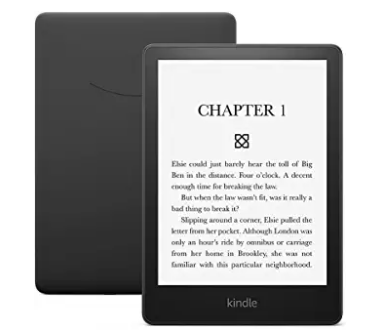
Similarly, I’m not tempted by Amazon’s “Kindle Paperwhite” tablet. My Fire can play movies, audible titles and books in full color, and has a slot for a memory card, unlike the Paperwhite or the “hideously expensive” iPad. That’s how a reader described his Apple tablet, after spending $450 for a large, refurbished model.  On the plus side, the $105  Paperwhite gives you a black and white screen similar to the pages of an actual book. It has an incredible battery life, lasting ten weeks on a single charge. What’s more, you can immerse it in the bath or pool for a few seconds without problems. And you can read it in bright sunlight. But I don’t often read outside.

Fastest Broadband Speeds in the World

The fastest broadband speeds in the world are in Singapore, Thailand,  Switzerland, Chile, Denmark, France, Hungary, according to Tide.co. The US is number eight on the list, just above the United Arab Emirates and Spain. 


THE NEW WINDOWS 11

What a bummer. My Windows 10 PC can’t handle the free upgrade to Windows 11.

To find out if yours can, type “PC Health Check,” in the Windows search bar in the lower left of your screen. When the app comes up, click it. Though my PC sailed through every other requirement on the list, its Intel Core i7 processor didn’t make it. That’s odd, because there’s a whole bunch of Intel Core i3 and i5 processors that do meet Microsoft’s criteria, though they’re much slower than my i7. The higher the number, the faster the processor.

But even if your PC qualifies for the free upgrade, you’ll still have to wait until 2022 —  unless you sign up for the free Windows Insider program, which is easy to do. Check out the article “How to Get Windows 11 Beta,” from PCWorld.com.

If you get the go-ahead, should you opt for the free upgrade? I say yes. You can always roll back to Windows 10 if you change your mind within 10 days. Windows 11 is getting kudos for its fresh new look, its more useful “Settings,” a better Windows Store, an improved “Snap View” and more helpful widgets, which are apps that broadcast new info continually.

But be prepared for a few annoyances. I’m not counting the complainers on Reddit who say that performance suffers, because it’s a tiny difference. But it might bother you that the Start menu has moved from the left to the bottom center of the screen, though you can change that in settings.  More serious, you can no longer click on each individual item in the “Action Center,” which is the area in the bottom right of your screen with a square speech bubble. That’s the icon that  says “notifications” if you hover on it.  When you click on it in Windows 10, you get some some handy links, including airplane mode, screen snip, and night light, among others. It’s being replaced by two buttons. You can edit the list, but you can’t get everything you had before.

The calendar pop-up in Windows 10 has also deteriorated in Windows 11. To enjoy the old version while you can, click the clock in the lower right of your screen. To add an event to the calendar, click on a day and fill in the slot below the calendar with your details. Fifteen minutes before an event starts, it will automatically pop up to remind you. You can change it to 30 minutes, an hour or even a whole day’s advance notice.

Another downside of Windows 11: Microsoft is pushing you out on the Edge. In other words, if you want any browser other than Microsoft Edge to launch when you click on a link, such as Chrome or Firefox, you have to set the default for each file type: HTML, WebP, . XHT, HTTPS, and so on.

The good news: Microsoft is supporting Windows 10 until 2025. So you can put off deciding for years. If Windows 10 is any indicator, the free upgrade will hang around for a long time.

Playing House

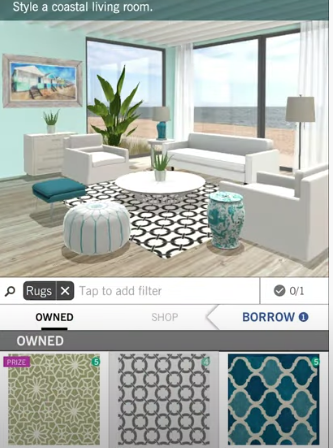
Fancy yourself an interior decorator? Try playing ”Design Home,” a free app for Android and iPhone, which has been downloaded over a million times. I find it rather addicting.

For my first challenge, the game let me decide which of two rooms was better decorated. I was thrilled when the rest of the community gave me nearly five out of five stars for my choice. Ho ho!  My next challenge was to design a romantic patio in a house on the island of Santorini. I was asked to choose sofas, chairs, tables, rugs, plants and other decor. It’s easy to do because they show you where to tap, and when you do, you get a variety of furniture choices and decor. But I got confused by the fact that so many objects say “buy.” I bravely tapped on a thousand dollar Tommy Bahamas chair. Just as I suspected, it only cost 1,000 points out of the 20,000 I earned right off the bat. Another time, I was afraid I was spending real money, but once again, I wasn’t.

The game lets you choose furniture, wallpaper, rugs and decor from actual brands, such as Benjamin Moore paints. There are home makeover games that bring rewards, or you can enter the design challenges for prizes. The prizes give you play money to buy more stuff.

Dressing Up Your Texts

My brother asked me if I used “Giphy” so I asked him if he used “Bitmoji.” Bitmoji creates a flattering cartoon version of your photo to go with words like “Thank you,” “Congratulations,” or “What’s up?” When you tap the app, you’ll have a chance to include a message with your cartoon image in an email, text, Facebook post, etc.

The free Giphy app is similar. Tap it when you’re ready to send a text message or email. Then choose a short animation and add your message. It will give you options for sharing it.

Internuts

  • Fittoplay.org has advice for preventing injuries, as well as free workouts. Click “body part,” to get started.
  • flipsy.com/sell/iPhone helps you sell your iPhone for top dollar. You can get $255 for an iPhone X from 2017. Old iPads, Galaxy tablets and PlayStations are worth big bucks too.
  • Search on “Draw Like a Printer Level 2 Drawing Ronaldo vs Messi” to bring up a YouTube video showing a guy drawing two completely different portraits at the same time. It’s astounding.

TWEAKING WINDOWS 10

I had no idea that there were so many things I should have turned off in Windows 10.  CNET gave me a list.

The worst one is the ability of every app to run in the background, even when you don’t have it open. An app you don’t even care about could be installing updates and sending you notifications, among other actions, hogging your bandwidth and slowing down your computer. To turn it off, type “background apps” in the Windows search bar in the lower left of your screen. When it comes up, toggle the master switch to the off position. 

Next on the list: Did you know you have a Microsoft ID, tied to your account, that is given out to marketers? If it bothers you, type “privacy settings” into the Windows search bar. When it comes up, toggle the switch to off where it says “Let apps use advertising ID to make ads more interesting to you.”

For more of these tips, search on the phrase “8 default Windows 10 settings that aren’t good and how to change them.”

Fixing a Buggy Computer

 One of my favorite tricks for fixing a buggy computer is “System Restore.”  So when Windows stopped making restore points on my machine, I was miffed.

System Restore lets you go back to a time when everything was working. (The Mac equivalent is “Time Machine.”) To set it up in Windows, type “create a restore point” in the search box at the lower left of the screen. Then click “configure.” When I did that, I discovered that Windows had not allotted any storage space for restore points. No wonder I wasn’t finding any. I quickly moved the slider from zero to 1.5 gigabytes. To test it, I uninstalled a program and typed “create a restore point,” in the Windows search box in order to get to “System Restore.”  Everything worked. 

 To be extra cautious, you might want to have Windows create a restore point automatically every time you reboot. That way, if something goes wrong today, you can revert to yesterday. See “How to Make Windows Automatically Create a System Restore Point at Startup,” from HowtoGeek.com. The article has a link to a free, automatic tool, which makes it easy. 

The Ultimate Engraver

I once was in a huge room full of commercial laser cutters. It was at a tradeshow and they were engraving astonishing works of art, machinery and jewelry.  Even more amazing, you can get a home version of this equipment for about the cost of a computer.

The “xTool M1,” by MakeBlock, is a desktop cutter and engraver coming out in March. The price will be $1299 when it ships but is selling for $799 to early birds. The company raised a million dollars in the first five days at the crowdfunding site Kickstarter and has since blown past $1.6 million worth of pre-orders.

There are several videos on the xTool site. You can watch the making of a snowflake coaster, earrings and a rubber stamp. Other possibilities include dog collars, rings, and the kind of wooden rolling pins that make designs on dough. It can engrave anything from aluminum to vinyl. You might want to start a business putting Fido’s name on his dog collar. But it would be great to have a friend to help you learn the machine.

Fun With Facebook 

Facebook.com/townhall lists your local, state and national representatives. I clicked on our ambassador to the United Nations. Other people had chimed in with critical comments right beneath the ambassador’s glowing statements. One said that “the West chose to side with a petulant and militarist minority in Ethiopia.. adding fuel to the recurring conflicts.”

Twitter Tip

Most people follow hundreds of celebrities, journalists and the like on Twitter. I only follow eight. But even with eight, I don’t often look at them all. They get buried on the Twitter home page.

Here’s the solution. To see the list of those you follow, go to Twitter.com and click the word “Profile” or, if you’re on a cell phone, click your account icon, then “Profile.” Next tap “Following” and click on a name to see their most recent posts. If you’re not following anyone yet, type a name into the search bar at Twitter.com and click “follow.”

Facebook Question

A reader asked two questions. First: “How did my location in Charleston SC get into Facebook Marketplace when it’s only on my desktop at home? I do not have Facebook on my laptop.”   

The answer is that Facebook knows your location as soon as you sign in, whether you’re at home or in Timbuktu. 

Question two: How can you stop Facebook from sending you an email every time your friend’s latest cat photo appears?  On your computer, click the down arrow in the top right of Facebook. Then click “Settings & Privacy.” Now click “Settings,” then click “Notifications” and turn off any you don’t want.

Doing Without Big Tech

If you want to see how tough it is to browse the Internet without one of the big tech companies, try a free app from BigTechDetective.net. It prevents any website from loading–  if it uses something from a big tech firm. 

The app is a little techy to use so let’s cut to the chase. It’s almost impossible to browse the web without Google, Facebook, Amazon and Microsoft. On most sites, you’ll get a message that the page is locked because it uses a resource from one of those companies. 


PROJECTING TIME AND WEATHER ON THE CEILING

I never dreamt it would be possible to read the time and room temperature on my ceiling. Then a friend gave me a gadget for doing just that.

The Ambient Weather “RC 84-27 Clearview Radio-Controlled Projection Clock,” $15 on Amazon, has a miniature radio receiver that gets the world’s most accurate time from the official U.S. atomic clock in Fort Collins, Colorado. It even turns daylight savings time off or on.

The best part is the mini projector inside. That’s what beams both the time and the room temperature up high. Works great in the dark. When I’m wondering if it’s time to get up, or if it’s warm enough to get out from under the covers, I can glance up at the ceiling to find out. The read-out is big, about 11 inches long. I don’t need glasses to see it.

The clock’s automatic time adjustment comes from the National Institute for Standards and Technology radio station, broadcasting at 60 kilohertz. That’s a frequency thousands of times lower than any on the FM radio dial and almost 10 times lower than the lowest station on AM.  NIST suggests placing your radio-controlled clock by a window facing Colorado. But my windows face the other way and it still works. Incidentally, I only have to put the clock near a window every so often to get a time hack. You might never have to move yours. Get more info at the NIST.gov website by searching on “Help with WWVB Radio Controlled Clocks.” 

Alexa Calling

Suppose you have an accident and can’t reach your phone. Don’t just lie there. Let Alexa make a call for you.

To set it up, open the Alexa app and  tap “Communicate.”  It will ask if you want to import your contact list.  This makes it possible for Alexa to reach anyone you know. Test it by saying something like, “Alexa, call Joe  Doe,” or any other contact.

Here’s another trick: If someone you know has an Alexa device, you can have your Alexa call their Alexa. (This reminds me of the old executive saying: “I’ll have my girl call your girl.”)  Calling from your Alexa to someone else’s Alexa is helpful if the recipient can’t reach their phone.  

If you have more than one Echo device, you can broadcast an announcement that will play on your other Echos. Just now, I said, “Alexa, announce that dinner is ready,” and heard my own voice announcing it in another room.

Running Out of Storage Space

“SpaceSniffer” is a free program for Windows from Fosshub.com that will give you details on all the programs taking up storage space on your computer. It’s a little techy.  Windows’ own storage settings app is simpler, but less detailed.

To get started, type “storage settings” in the Windows search bar in the lower left of your screen.  It will show you which categories are hogging the most space. I had almost 11 gigabytes of worthless temporary files. Clicking the trash icon allowed me to choose which ones to get rid of.

Earning Money or Hiring Help

Google’s new “Taskmate,” from TaskMate.google.com lets you hire people from around the world to do simple tasks. Alternatively, click on “earn money” to get paid for completing surveys. Find the TaskMate app from the Google Play Store or Apple App Store.

Tech-y Water

Six months ago, two companies sent me water purifiers for review, the Aquibear and the KFlow. I accidentally bricked both of them.

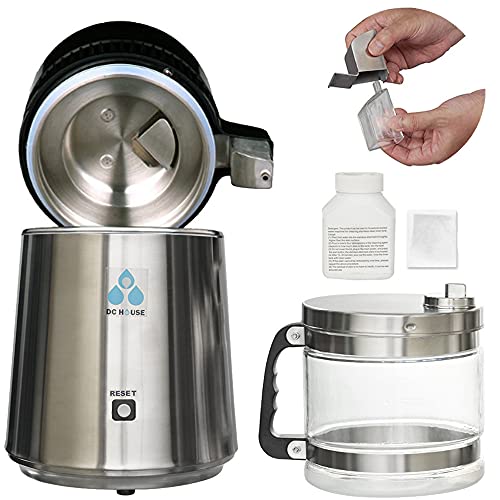
The KFlow went kaput when I filled the tank past the maximum line. After that, it would not turn on. The Aquibear is also delicate: You can’t just shove the pitcher back into its slot because a sensor needs to register that it’s time to fill up again. Mine got all askew, and the water only dribbles out now. That’s why I bought the “DC House Countertop Water Distiller” for $150 on Amazon, less than half the price of the Aquibear. It doesn’t need a filter and holds a lot more. There’s no waste either. With other purifiers, you throw out about a third of the water.

With a distiller, all impurities come out through steam, leaving 100% clean H20. Just fill up the tank, plug it in, turn it on, and push the reset button. Four hours later, the included glass pitcher is filled with a gallon of water. To clean the distiller after use, just scrub the bottom with a little vinegar to get the sediment out. It comes off in seconds. 

Numbers Report

American retailers experience an average of 206,000 web attacks per month. SEON, a cyber fraud management company, estimates that fraud costs the global economy 5.127 trillion dollars per year.

Which countries have the lowest rates of cybercrime? The top five safest include Denmark, Germany, the US, Norway and the UK. The five highest risk countries are Myanmar, Cambodia, Honduras, Bolivia and Mongolia.

Advice for Buying a New Phone

The best way to save money on a new phone, according to an expert at WalletHub, is to buy one that’s at least one generation older than the latest model. Doing that could cut the price in half and still leave you with a great phone. Year-to-year improvements are often insignificant.  For the cheapest cellphone contract, see CNET’s article “Cheap Phone Plans Compared.”  “TextNow” offers a free plan with unlimited talking and texting if you have a Sprint-compatible phone, which includes most phones. 


MUSICAL FRAMES

I never thought I’d want music coming out of my glasses. Then Anker sent me their “Soundcore Frames.” Sweet.

I love being able to hear all the sounds swirling around me while listening to music on my walk, including birds chirping, friends talking or cars coming. I wish others would wear the Frames too. At my old apartment building, which is 95% students, I’d have to wait while they pulled out their earbuds whenever I started a conversation in the elevator. With the Frames, they would be able to hear me easily. 

Setup is minimal.  Connect the Frames to your phone wirelessly by going into Bluetooth settings on your phone, and you’re done. They’ll turn on automatically when you put them on your head and shut off when you take them off.  Voice commands allow you to answer or reject phone calls. These worked great in my tests. But the skip-song or volume up-or-down commands didn’t work for me. I had to use my phone for those. 

The instructions could have been clearer.  At first I thought I had to get music through the Soundcore app, which has a limited selection. But tech support, which is great, told me that anything I can listen to on my phone will automatically play through the glasses. So far, I’ve enjoyed Spotify, iHeart Radio,YouTube, Audible, and NPR. They all sound good. 

Available for $200, Soundcore Frames come in nine different sunglass styles and one clear, from soundcore.com. I’m going to add my prescription to one of them. Unlike other smart glasses, there’s nothing dorky about their look. Out of ten styles, three of them, including the clear frames, allow you to add a prescription.

Photoshopping Without Photoshop

I saw a stain on my clothes in my latest photo. Removing it was as easy as waving a magic wand, available from a free website.

Go to Cleanup.Pictures to erase objects or people you don’t want in your photos. As soon as you brush over the spot and let go, the object disappears. Besides the stain, I removed a background image from a photo of a baby playing on the beach. Worked great. You can change the size of the erasing brush to work on smaller or larger areas.

Winslow Homer’s “Crack the Whip”

Art on the Web

On a rainy day, the web can be better than an art museum. Go to wikiart.org and type in the name of an artist or art movement. I searched for Winslow Homer.  When I scrolled down, I saw a bunch of his paintings. After choosing one, I clicked again to expand it. Then I clicked an arrow to move through a slide show. His stuff looked great on my tablet and computer. So did Maxfield Parrish’s.

Getting Your Child’s Image Off the Web

If your child’s picture comes up in a Google search, you can remove it. First, search on “Remove Images from Minors from Google Search Results” to go to Google’s support page, or look up the easy-to-follow instructions on Mashable.com. Basically, you have to submit the web address of the image, the web address of the Google search results page, and fill out a Google form.

 DVDs Live

A friend brought over the DVD for the movie “The Mask.”  But my DVD player was on the blink. That’s when I found out you can cast a movie from a computer file to the TV. Previously, I’d only used Google Cast to bring over movies from the web. 

To start, convert a movie disc to a file.  It’s easy with the free “VLC Player” from videolan.org.  From the “Media” menu, choose “Convert/Save.” Now click the “Disc” tab and click “Convert/Save” again. From there, choose an MP4 option that has “TV” in it.  

When the conversion is finished, you can watch it on the big screen. Launch the Google Chrome web browser and click the three vertical dots in the upper right corner. Now choose “Cast.”  Select your TV from the list. After that, click the arrow next to “Sources” and choose “Desktop.” Voila! Your movie is on the TV. All you have to do now is hit “play” on your computer screen. From there, you can pause the video, or go back and forward.

Unfortunately, it doesn’t work with every  movie. It worked with “The Mask,” “Wodehouse Playhouse” and my “Animusic” video, but not with “Terminator” or “Mon Uncle.”

Fighting Spam

 “During the past year my inbox has been inundated with ads that once would have been considered Spam,” a reader wrote. “Should I ignore & delete unopened or should I bother to ‘unsubscribe’?”

 According to Sophos, a leading security company, you should never tap “unsubscribe.” That tells the sender the email is both active and in use.  However, it’s much worse to go to a spammer’s website. That gives them a chance to install malware on your computer.

 In Gmail, Yahoo and other email services, you can mark anything as spam or block it. To block it, open the email and click the three dots above and to the right. Then choose “block.” Yahoo has an option to automatically delete all the emails the sender has sent so far. West Elm Furniture, this means you.

 If all else fails and your inbox has more junk than regular mail, check the “select all” box, then uncheck the few emails you want to read. Click delete for all the rest. With Gmail and Yahoo, the spam folder automatically deletes itself every 30 days. In AOL, it’s only five days. 


WONDERFUL WIDGETS

The daily weather report on my Android phone screen disappeared. No one had a clue on how to fix it. So I added a weather widget.
Widgets are little marvels. They show info without you having to tap anything. There are widgets for weather, stocks, music, photos, etc. Here’s how to set them up.

First, make room on your phone’s home screen by touching and dragging excess icons to a free area on another page. On an Android phone, you’ll want to hold your finger on the clear spot for a few seconds until a menu pops up with the word “Widgets.”  On an iPhone, touch and hold an empty area until the apps jiggle, then tap the plus sign, select the widget, and tap “done” or hit the home button. For either iPhone or Android, hold your finger on the widget you selected and drag it into place.

When I was looking at available widgets, I saw the “NOAA” (National Oceanic and Atmospheric Administration) widget among my choices. But I wouldn’t have seen it if I hadn’t installed the NOAA app first. You only get widgets for apps that are already installed. Of course, some apps come pre-installed, so their widgets are already in the menu. For example, the Google Photos widget offers a random photo.

Toddler Phone for Adults

Fisher Price just came out with the $60 “Chatter Phone.” It looks like a toy and has a  rainbow-colored rotary dial and a happy face.  But it’s a working mobile phone. When you turn it off, it says, “Bye, love you.”

You’ll need to connect your phone via Bluetooth to use it. When you do, the phone says, “Hi there. Good to go.”  It also speaks aloud the numbers as you turn the rotary dial, and has a speaker phone option.

For children who love rotary dialing with a real phone, or adults who want amusement, this would be great.  It might also be good for adults who don’t want to hand over their smartphone when Junior gets a call. The Chatter Phone is coming soon, for $60, at Best Buy.

Password Checkup

If you want to check the passwords stored on your iPhone, tap “Settings” and go to “Passwords.”  You’ll see “Security Recommendations” if any of them are weak or compromised.

I use Google’s “Password Checkup,” at passwords.google.com.  It alerted me to hundreds of compromised passwords. I fixed those, but I still have 174 weak ones. Oh well. Those sites don’t have any important info.

A Career in Computer Graphics

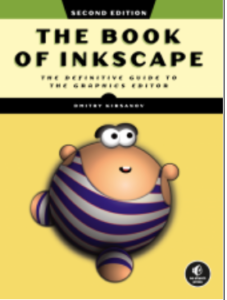
If you’ve ever wanted to design art for video games or any other application, “The Book of Inkscape, 2nd Edition,” by Dmitry Kirsanov, is for you. It doesn’t assume you know anything, but starts with step one, like Dorothy on the yellow brick road.

I was amazed at how user-friendly the first chapter is, given the sophistication of the subject. It doesn’t matter if you’ve never seen a graphics program, or even a photo editor.  It guides you through the creation of business cards, animations, technical and artistic drawings, and graphics for games. You also get the instructions for Inkscape’s latest tools. Go to inkscape.org to download the free program.

Phone and Camera Tripod

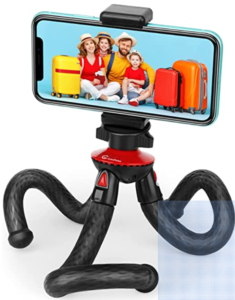
The makers of “Goofoto Flexible Tripod” sent me one for review. Works great with my cell phone camera and my point-and-shoot Canon.

I saw it for $12.59 on Amazon, where it gets great reviews. The aluminum core legs are wrapped in rubber, so they bend and twist Octopus-style. This makes it easy to change the angle of your shot. Or you might want to wrap it around a post or tree limb to take a photo from on high.

App Happy

  •   “Rev Call Recorder” is a free app for iPhones  and Androids. To avoid legal problems, ask the person you’re calling if it’s OK to record. My favorite 11 year-old recorded me for a homework assignment. Grandparents might want to have their best stories recorded. The app gives you the option to email your audio file or save it to Dropbox, a storage site.
  • “Measuring App” for iPhone or iPad, or “AR Ruler,” for Android, can tell you how tall someone is or measure an object for you. But you need a phone with augmented reality.

Internuts

  •  “Use Your TV as a Computer Monitor” is the title of an article in PCWorld. It shows you how to use your TV as as second screen or as your primary one. It could save you the cost of buying a giant monitor.
  •  InformedDelivery.usps.com is the place to sign up if you’d like to know what’s coming in today’s mail from the Post Office. You get a daily email with a snapshot of the day’s mail, showing the actual envelopes. Often you get more mail than the snapshot shows you, but it’ gives you a rough idea.

Numbers Report

Which email app is the most popular? Google’s Gmail has about 1.5 billion active users.  Microsoft Outlook has 400 million active users.  Yahoo Mail has about 225 million active users. Mozilla Thunderbird has  more than 20 million. AOL has about 2.3 million active users. But Verizon, which owns AOL, sold it. It will be bundled under the Yahoo brand, along with TechCrunch and HuffPost. By the way, you can have as many email addresses as you want, and use them for different purposes.


BILLION DOLLAR ART GALLERY ON A THUMB DRIVE

You could pay $700 for a “Meural” art frame that shows off digital art. Or for $40, you could have 500 paintings on your TV.

The “Billion Dollar Art Gallery” puts the world’s greatest art on a flash drive you stick into the back of your television. For me, watching the paintings go by in a spectacular video is better than seeing them in a museum or trying to put something together myself. The painting lingers for a moment before the title and artist info appears. Delightful music plays. I was enchanted. Not only did I see my favorite Renoir, Mary Cassatt, and Winslow Homer paintings, I saw lots of fantastic art I’d never seen before. If you pause the video, it’s like having the painting on your wall. Right now, I’m pausing the video every 20 minutes and immersing myself in a work of art. It gives my eyes a rest from the computer screen.

The company encourages you to call them if you need help getting started. For my Sony TV, all I had to do was push the “Apps” button on my remote control, then scroll down to “Media Player.” Voila! It played. I can hardly wait to show my favorite 11 year-old all the horse paintings. To check out the art or the artists, go to BillionDollarArtGallery.com and click “paintings.”

How to Loan an eBook

Sometimes, a Kindle book just falls in your lap. A friend just loaned me “The Story Behind: The Extraordinary History of Ordinary Objects,” by Emily Prokop. I lent him “Anvil of the Heart,” a sci-fi thriller by Bruce Holmes.

Not every Kindle book can be loaned out. Out of the first 24 titles in my Kindle library, only nine were eligible. The recipient has 14 days to read it.

To lend one of yours, do a Google search from your computer using the words “manage content and devices.” Click the first link to see a list of your books. (If you have more than one device with a Kindle app on it, click “content” first.) On the far right side, click “more actions,” and look for “loan this title.” If you don’t see those words, it’s not loanable.

To receive a book someone has lent you, click on the link in the email Amazon sends you and sign into your account. Choose where to deliver it, and the book appears in your Kindle library. If you don’t have a Fire tablet or some other Amazon device, add the free Kindle app to your smartphone, Android tablet, iPad, or Chromebook. Or get the free “Kindle App for Windows 10” or “Kindle for Mac.”

Plastic Bags Revisited

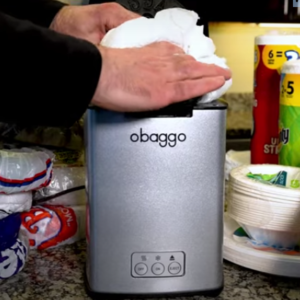
After I reviewed the Obaggo plastic bag compactor, a reader wrote: “For what it’s worth, my neighborhood Walmart has a collection box just inside their doors to recycle grocery bags and other plastic overwraps. A LOT cheaper.”

I fired back: “But only 5% of plastic is actually recycled.” OK, that’s true, but the reader is right and I’m wrong about those grocery store collection bins. Unless it gets contaminated, the plastic does get recycled. In fact, Obaggo just made a deal with the bin people to include compacted plastic. When I get my Obaggo, I’m looking forward to compacting stuff like those blue and white Amazon bags. Americans use 100 billion plastic bags a year, according to rts.com. On average, a bag is owned for 12 minutes before it’s tossed.

Check out myplasticfreelife.com for tips on cutting back. It has 100 suggestions, such as bringing your own “to-go” containers for leftovers and using your own bags for fruits and veggies at the supermarket. I got excited about making my own soy milk from dried soybeans using a “SoyaPower Milk Maker,” eliminating over 50 plastic-infused cartons a year. Then I calmed down.

Cautionary Tale

According to Flipsy.com, you have to be careful when you sell your phone on eBay. Some buyers remove parts from a phone to resell, or use them to repair their own phones. Then they put the phone back together and return it in a non-working condition. Flipsy, which offers dozens of alternative ways to sell your phone, says that international buyers use this scam the most.

Free TV

  • HooplaDigital.com lets you rent books, audiobooks, movies and TV shows for free from your public library. All you need is a library card.
  • Comettv.com has free sci-fi TV shows, such as Battlestar Galactica, the X-Files, Ray Bradbury Theater, and Night Gallery. It also has movies.
  • CourtTV.com has videos on the latest court decisions as well as original movies.
  • Crackle.com has a lot of free movies and TV, if you don’t mind ads. I’m watching “The 100 Year-old Man Who Climbed Out the Window and Disappeared.” It’s entertaining.

Lifetime Version of Microsoft Office

If you’re tired of paying $70 to $100 a year for Microsoft Office 365, consider paying $150 one-time only for “Office Home & Student 2021.” It includes Word, Excel and Powerpoint. If you also need Outlook and Access, those are included in a professional version for $440.

Internut

TheRespondent.com refers to a new book by actor Greg Ellis, best known for “Pirates of the Caribbean“ “Titanic” and over 100 video game voiceovers. In his thrilling true story, he describes how, as a divorced dad, he went from mansion to prison. On the site, click “nonprofit,” then scroll down, to find out how to do a divorce through mediation, saving money and heartache.