
GETTING INTO THE WRONG CAR
I accidentally got into a car with a stranger in Chicago at night. I thought the guy was a Lyft driver.
Lyft and Uber have a problem. The drivers ignore your pick-up address. Instead, they use GPS. When you’re standing next to skyscrapers, GPS makes mistakes. When I was on S. Michigan Ave., for example, the Lyft driver’s map showed me on E. Adams St.
“Where are you?” I texted the driver. “I’m right around the corner on Adams,” he said. On Adams, I saw one car, right where he said he’d be. I got in. The driver asked me where I wanted to go. “Don’t you see my destination in your app?” I asked. He looked confused. “Do you work for Lyft?” I added. “No,” he said. “Sorry,” he called out, as I got out of the car. I’d nearly gone off with him.
Meanwhile the real Lyft driver was frantically calling me. But since each call was labeled spam, I ignored the rings. So he opened his door and called my name. Meanwhile, his app was instructing him to cancel the ride. Fortunately, he persisted.
From now on, I won’t forget to check the license plate before I get in. I’ll also check the driver’s name as well as the color, make and model of the car. To make sure I’m easily found, I’ll text my location as soon as Lyft or Uber’s driver details arrive in my app.
Lyft News
Recently, Lyft agreed to pay a $2.1 million settlement for targeting drivers with misleading want ads. They claimed, for example, that drivers in Atlanta could earn “up to $33 an hour.” But $33 was only what the top fifth of drivers made.
Amazon Annoyance
The $7 hippie headband I ordered from Amazon for Halloween showed up at my friend’s house. Thinking it was junk, she threw it away. I had to buy a new one.
Amazon now defaults to the last address you used, which may not be your own. On Reddit.com, a critic labeled the new policy “address roulette.” Others had horror stories of packages sent to handymen or their kids’ friends in other states. Amazon’s response? Delete all the saved addresses except your own. Wow, that’s tough. I’d rather just check each time.
 Free Drawing Tool

Adobe Fresco is a free drawing app for Windows, iPads and iPhones. Among other features, it can mirror your work as you draw and animate your drawings. Just choose “bounce” or “breathe.” Unfortunately, there’s a learning curve, even for artists. I took the easy way out, letting artificial intelligence create an image for me at firefly.adobe.com.
6G is Coming
Just when we stopped being amazed by 5G, along comes 6G. PC World says it may be coming to cell phones in 2030.
Theoretically, at speeds of around 938 Gbps, you’ll be able to download 20 movies per second. But a lot depends on interference, congestion and your distance from a cell tower.
To get 6G, your phone will also need a much higher frequency range, up to 150 gigahertz. That’s far beyond the range of today’s devices, which typically use 5Ghz to 39GHz. Researchers were able to get the higher range by mixing lasers, radio waves and other signal types.
Amazon Scam
A friend got a realistic looking note which read: “Reminder, your Amazon points will expire in seven days. Use them as soon as possible.” The note included a link to click and a number to call. He didn’t fall for it.
The points you earn with an Amazon credit card never expire, as long as you still have your credit card. If you get a message like my friend’s, or any other you’re not sure of, don’t click it, and don’t give out any information.
Changing an Image Size
Often, a bunch of my photos are too big to send as attachments, so Gmail converts them to a link. But some of my friends prefer an attachment. That way, an email shows them a bunch of photos at once.
Here’s the solution: Resize them using the Windows or Apple “Photos” app. They’ll still look great on a screen but will take up much less storage space.
On a Windows computer, right-click a photo, then choose “Open With,” then “Photos.” When it comes up, click the three horizontal dots at the top, then choose “Resize image.” Click the dot next to “Percentage,” then make it smaller than 100.
On a Mac, open the photo and click “Preview.” Next, choose “Tools,” then “Adjust Size.” Change “inches” to percent. Finally, change 100 percent to something smaller.
If you want to increase the resolution, go to BigJPG.com. It’s free and works with Windows, Mac, Android, iPhone and iPad.
 Internut
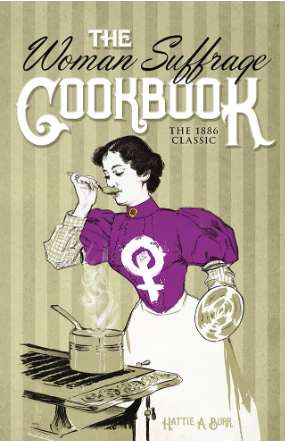
FoodTimeline.org gives you the origin of everything from almonds in 10,000 B.C. to “cronuts,” in 2013. Cronuts are a cross between a croissant and a donut. Following a link, I made some delicious rye bread from “The Woman’s Suffrage Cookbook,” published in 1890. I had to guess at the oven temperature, since its author used a wood-burning stove. But hey, so did Grandma.
Numbers Report
Eight out of ten teenagers see conspiracy theories on social media at least once a week, according to a survey to the News Literacy Project at newslit.org.
Filed under: AI, Amazon, apps, art, Internuts, numbers, trends, wireless