
MAKE YOUR OWN PHOTO PLACEMATS AND LAMINATE THEM

photo courtesy of Shutterstock
After printing out eight placemats for my sister’s birthday, I laminated them with the Scotch “Thermal Laminator,” $31 at Target.
The placemats include photos of my six-month-old niece, a “Happy Birthday” greeting and a cartoonish cake. I know my sister will like them because she’s still using the holiday placemats I made years ago.
To start, I used “Hallmark Card Studio,” $31 on Amazon, which can be downloaded to multiple machines. After finishing a variety of designs– which was as easy as choosing images and text to plop onto paper– I turned to YouTube for a demo of the laminator. I’m all thumbs when it comes to hardware.
Here’s how it works: To start, choose one of two settings, depending on the thickness of your paper. Next, put your artwork inside a special pouch, and insert it into the machine at the back end. The laminator automatically starts laminating. But I had to go back to Target to get more pouches, because my laminator only came with two. When finished, I discovered that two of my placemats were coming apart. So I put them in a second time, and now they’re perfect.
Call Screening
You may not have the Google phone app on your Android phone, but you can get it from the Play Store. It’s invaluable for screening calls.
But first, you have go into “Settings,” tap “Apps,” then “Default apps,” then “Caller ID & spam app.” Now tap a button to make the Google phone app the default. To screen a call, Google will ask the caller to state their business. If they don’t, I hang up and block the number.
For iPhones, or for Android users who want something more, there’s the free Google Voice app. It not only screens calls and transcribes messages, it gives you an extra phone number. Use it to make free calls anywhere in the US, or call internationally for a small fee, wherever you can connect to the internet. It saved my bacon at least three times when I temporarily lost my phone. On a laptop, you can use the keypad at Voice.Google.com.
 Programmable Toy
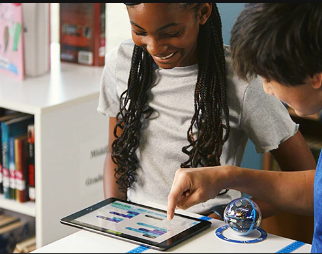
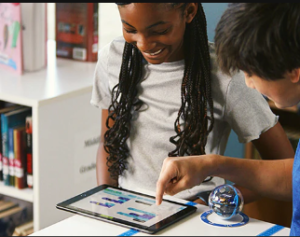
The Sphero Bolt is a robotic ball that races other balls and teaches kids how to program. The new $199 version, the “Bolt Plus,” has a more vivid screen.
The Sphero website shows kids using their tablets to command their Bolts. Kids as young as 4 can program them by dragging colorful building blocks into place. More advanced programs are available for those 14 and over.
Netflix Deal
I’ve started and stopped a Netflix subscription more times than I can count. Now they’ve got me hooked on a $7-a-month plan. It sure beats their $15.49-a-month deal.
When I watched “The Princess Switch 2” with a 10-year-old, for example, we were only interrupted once, for about ten seconds. When I watched an adventure series, I saw an ad only once every three episodes and they were short. I blinked and they were over.
Calm Down
SoftBank, a $94 billion company, has developed an artificially-intelligent system that turns an angry customer’s tone into something softer. The idea is to avoid scaring the service representatives.
Abusive, masculine voices are transformed into higher, less threatening tones. Shrill screamers get lower. In either case, the customer representative avoids having a meltdown or quitting. For more info, search on “Softbank plans to cancel out angry customer voices using AI.”
Password Managers
I love the Google Password Manager, which is free for users of Google Chrome. Similar password managers are available for free for Safari, Edge, Firefox and more. Like Chrome’s, they prompt you to save each password, then automatically fill them in as needed. Their “Password Checkups” are great for spotting vulnerabilities.
“But what about password managers for apps like Quicken?” a reader asked. According to Wired Magazine, 1Password is the best. It comes with a 14-day free trial, after which, it’s $3 a month. Besides passwords, it can save and encrypt documents, including your passport and driver’s license, though you can also use Google Drive for that. Like 1Password, the Drive offers multi-factor authentication. I tried 1Password and liked it a lot, but not enough to pay for it.
AI for Dyslexia
US schools spend over $120 billion on special education, mostly for kids with learning disabilities. Now, artificial intelligence is helping out.
Dysolve.com offers an AI program that has already helped hundreds of students reach their grade level in one or two years on average with weekly practice, at a cost of $1000 per pupil per year. That’s a bargain compared to the $10,000 per pupil per year spent by most schools. It’s cheaper because the software doesn’t require teacher training or involvement but still avoids the cookie cutter approach. Besides the version for schools, there’s one for parents who homeschool. For more info, get the book “Dyslexia Dissolved: Successful Cases with Learning Disabilities, ADHD and Language Disorders,” by Dr. Coral Hoh.
 Internut

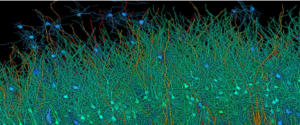
“6 Incredible Images of the Human Brain Built with the Help of AI.” Search on that phrase to read about an epileptic woman who had a tenth of an inch of healthy brain tissue removed so doctors could operate on another part. Google got permission to use her slice in order to build an interactive 3D model. It’s the largest dataset ever made of the human brain’s structure at this resolution.